
myRoupeiro Sample Data
Introduction
This page provides sample data created using the recording feature of myRoupeiro, based on actual match footage.
By importing the data (ZIP file) into myRoupeiro, you can immediately explore the analysis features and review the plays.
Download Link
2025_26 Top Tier European Club Final PSG vs Arsenal
PSG 1 – 1 Arsenal (PSG won 4-3 on penalties)
<Notes / 注記>
- Extra time and penalty shootout not included.
延長戦およびPK戦は含みません。 - Second half kickoff = 01:00:00 on the timeline.
後半キックオフはタイムライン上で 01:00:00 としています。
FC Barcelona vs Real Madrid (2024 USA Tour)
Barcelona 2 – 1 Real Madrid
Notes & Description
- This sample data was independently recorded and created by the developer of myRoupeiro, and is not affiliated with any official data. Therefore, the content may differ from the official data.
- Some event data that cannot be confirmed from the match footage is based on assumptions.
- The sample data ZIP file includes an XML file containing match information and a CSV file recording play events.
- You can import it directly into myRoupeiro, or analyze it using your preferred tools, such as spreadsheets or data visualization software.
How to import & analyze the sample data
Import Sample Data
Import a sample data file ([Match Title]_Data.zip).
On the Home screen, tap Open Saved Data.

“Import data from elsewhere”:
- You will be taken to the file selection dialog.
- Select the [Match Title]_Data.zip file.
Data analysis
Run analysis
Tap the analysis button (④) in the menu bar at the top of the screen to start the analysis, and when the analysis is complete, you will move to the Match Results screen.

Match Results screen
From this screen, you can show the results of each analysis.
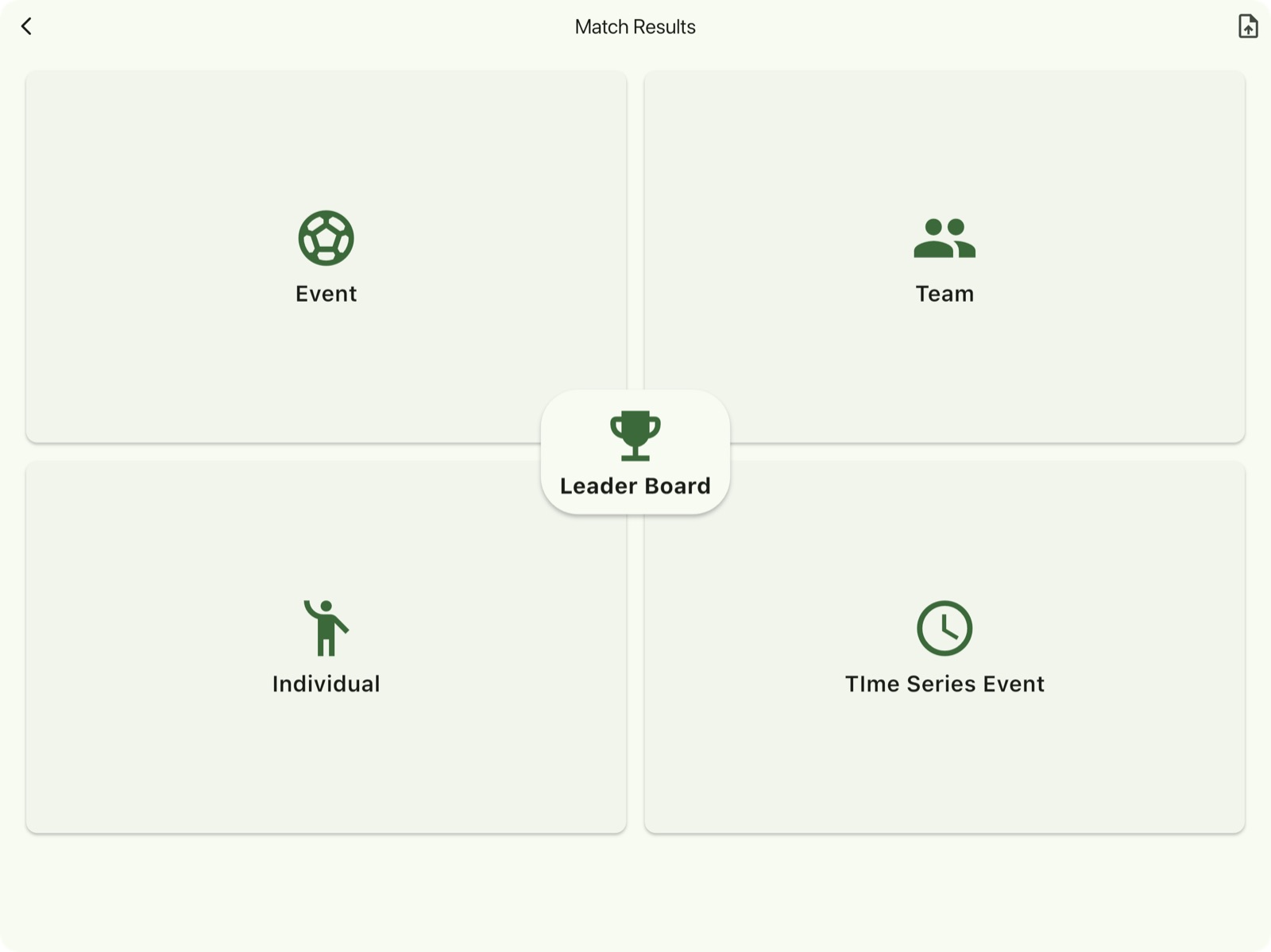
| Event | Event data analysis result |
| Team | Team data analysis results |
| Individual | Individual data analysis results |
| Time Series Event | Time series of the events with positions where the event occurred |
| Leader Board | Player statistics in a ranked list |
| upload_file(Export Data) | Export the analysis data file ([matchTitle]_Report_[timestamp].zip) to a location outside of myRoupeiro. |
Note:
The analysis result file [matchTitle]Report[timestamp].zip contains HTML files for each analysis result.
By using these files, you can view the analysis results in a web browser on another device or share them with your team members.
* A browser that allows JavaScript execution is required to open these files.
For further details on how to use, please refer to the manual (Home Screen > Others > Manual > External Manual Page).